



BlogProduct
Bulk Ordering on On-Demand Rails: How Order Builder Works
Bulk orders don't have to mean pre-buying inventory and fronting a full production run. Order Builder keeps the bulk workflow and puts it on on-demand pricing.

Bulk ordering on on-demand rails means you keep the bulk workflow you know (size grids, quantities, order sheets) but every unit is priced and produced on demand. Brikl's Order Builder does exactly this: decoration is set per item, margin updates as you build, and there is no pre-bought inventory, no minimum order quantity and no leftover stock.
In short:
- Brikl's Order Builder keeps the familiar bulk workflow: a size grid with one row per colorway and one column per size, plus a printable order sheet.
- Bulk orders in Order Builder are priced per unit on on-demand rails, with no minimum order quantity and no inventory to pre-buy.
- Each cell in the grid holds a quantity, a sell price and a cost, and the order summary shows revenue, cost, profit and margin while you build.
- New orders start as pending, so nothing goes into production until you advance the order.
- Bulk orders and on-demand stores run from the same Brikl catalog and appear in one orders list.
What's wrong with bulk ordering today?
A bulk order usually means guessing quantities, pre-buying blanks and fronting a full production run, then absorbing whatever doesn't sell.
The process around it is fragile too. Most bulk orders live in spreadsheets and email, separate from the store side. Sizes get retyped, prices recalculated by hand, and the margin is often known only after the invoice goes out.
Stores got automated; the order side did not. That is the half Order Builder is built for.
What does "on-demand rails" mean for a bulk order?
It means the order is placed in bulk but priced and produced per unit, the same way an on-demand store order is.
In a traditional bulk buy, you commit to a production run and a stock position. On on-demand rails, you order the exact quantities the client confirmed and nothing more. There is no minimum order quantity on Brikl and no inventory to hold.
On Brikl's marketplace, orders route automatically to a decorator based on product type and decoration method, and orders that need several partners are split automatically.
How does Order Builder work?
Order Builder is a size grid that behaves like a spreadsheet, attached to a real order record.
Each row is a colorway and each column is a size. Every cell holds a quantity, a sell price and a cost, which defaults to the catalog cost unless you override it. Row totals show units and revenue. If a client needs a size outside the standard range, the "+" button adds it.
The grid behaves like a spreadsheet: select a range to see count and sum, fill across a selection, drag a fill handle, paste a column from a spreadsheet, and undo. Focus mode isolates one colorway.
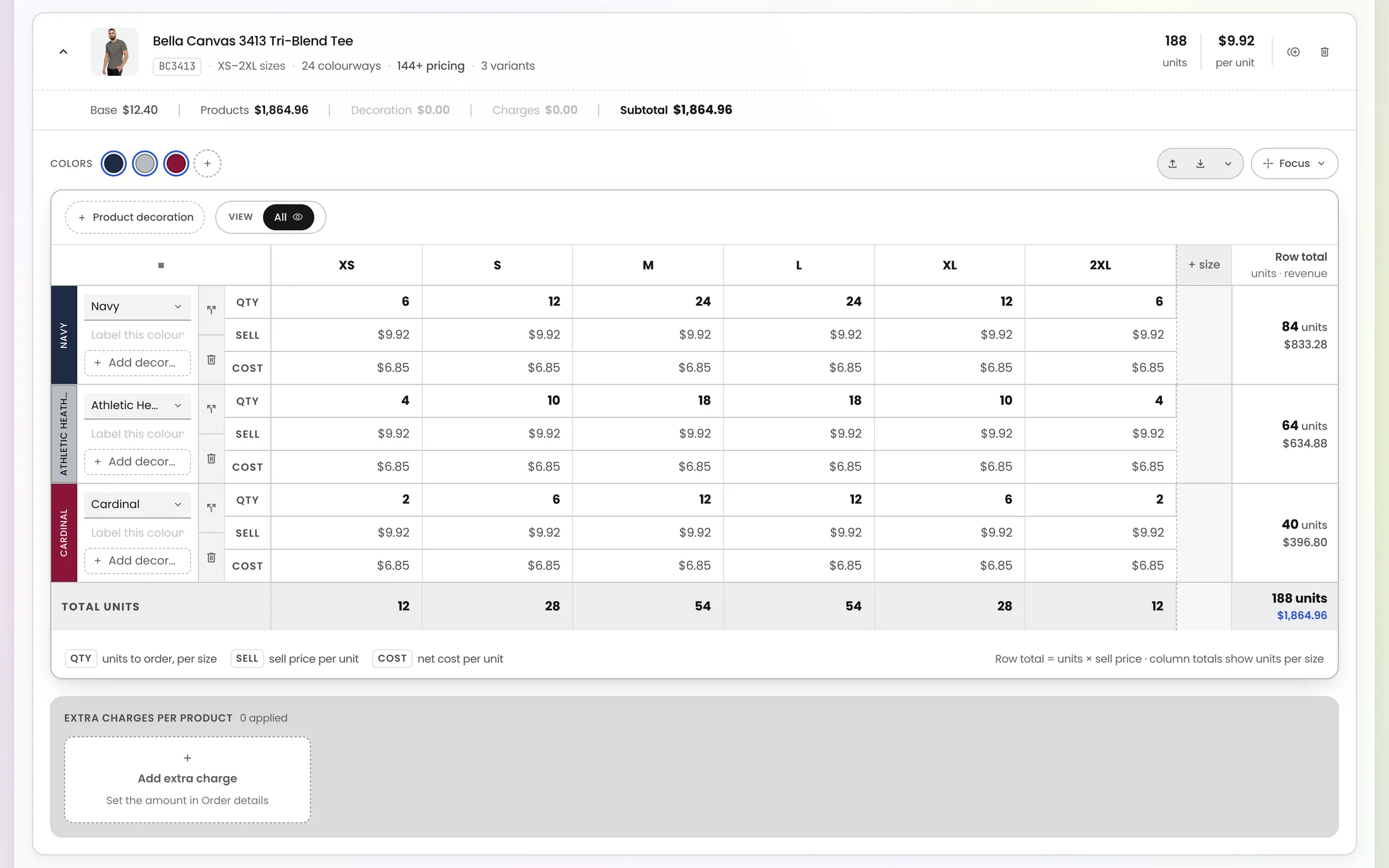
Colorways come from the product's palette with swatch and hex value, or you add a custom color by name and swatch. You can label rows by squad, department or location, and split one colorway into separate lines.
Take a hypothetical youth soccer league with eight squads needing jerseys for a tournament. In a spreadsheet, that is eight tabs and a lot of retyping. In Order Builder, it is one grid with eight labeled rows, pasted from the coach's sheet.
How do I see my margin while building a bulk order?
The order summary calculates revenue, cost, profit and margin live, so you see the outcome before you submit.
The summary adds up merchandise, decoration run charges, setup fees, extra charges, discount, shipping and tax. Volume breaks re-rate sell prices automatically as quantities change, so you don't recalculate tiers by hand.
Extra charges are typed as decoration, supplier or bill-only. Edits affect only that order, so a one-off adjustment does not change catalog pricing. When you quote, you can test a price and see the margin move before the client sees a number.
Traditional bulk buy compared with a bulk order in Brikl's Order Builder
| Aspect | Traditional bulk buy | Order Builder on Brikl |
|---|---|---|
| Inventory | Blanks pre-bought, full production run fronted | No inventory; units produced on demand |
| Minimums | Set by the production run | No minimum order quantity |
| Leftover stock | Absorbed by the distributor or client | None; you order confirmed quantities |
| Where it lives | Spreadsheets and email | One order record next to your stores |
| Margin | Calculated by hand, often after the fact | Revenue, cost, profit and margin shown live |
| Decoration | Set per run | Artwork set per item |
How do I place a bulk order in Order Builder?
You create the order, fill the grid, set artwork and charges, check the summary, then advance it when the client confirms.
- Create the order. Start it from the Create panel and add customer and delivery details. It auto-saves as a draft.
- Choose products and colorways. Pick catalog items and their colorways.
- Fill the size grid. Type quantities or paste them from the client's spreadsheet.
- Set artwork per item. Attach the right artwork to each product.
- Add charges and review the summary. Add decoration, supplier or bill-only charges and confirm the margin.
- Share and advance. Print the order sheet, add the team owner and external contact, and advance the order once confirmed.
Why nothing ships by accident
New orders in Brikl are created as pending, and nothing goes into production until you advance them. You can build and revise a quote without triggering a single decorated item.
When should I use Order Builder instead of a store?
Use Order Builder when the quantity and date are known; use a store when demand is open-ended and per-person.
An event, a uniform run or a conference giveaway has a fixed headcount and an in-hands date. You want one order, one delivery, one invoice.
A company store, a team store where each player picks a size, or new-hire kits are different: demand arrives over time, one person at a time. This decision is covered in more detail in on-demand vs bulk: which one fits which order.
Both run from the same catalog on Brikl. You choose per order, not per platform. You can see the full mechanic in how Brikl works.
Where do bulk orders live after they are placed?
They live in the same orders list as your store and marketplace orders, with clear statuses and in-hands dates.
The orders list combines direct entry, store, team store and marketplace orders. Statuses run from draft and in negotiation through pending confirmation, in production, shipped and delivered (or rejected). In-hands dates appear in words, such as "due tomorrow", and bulk actions update several orders at once.
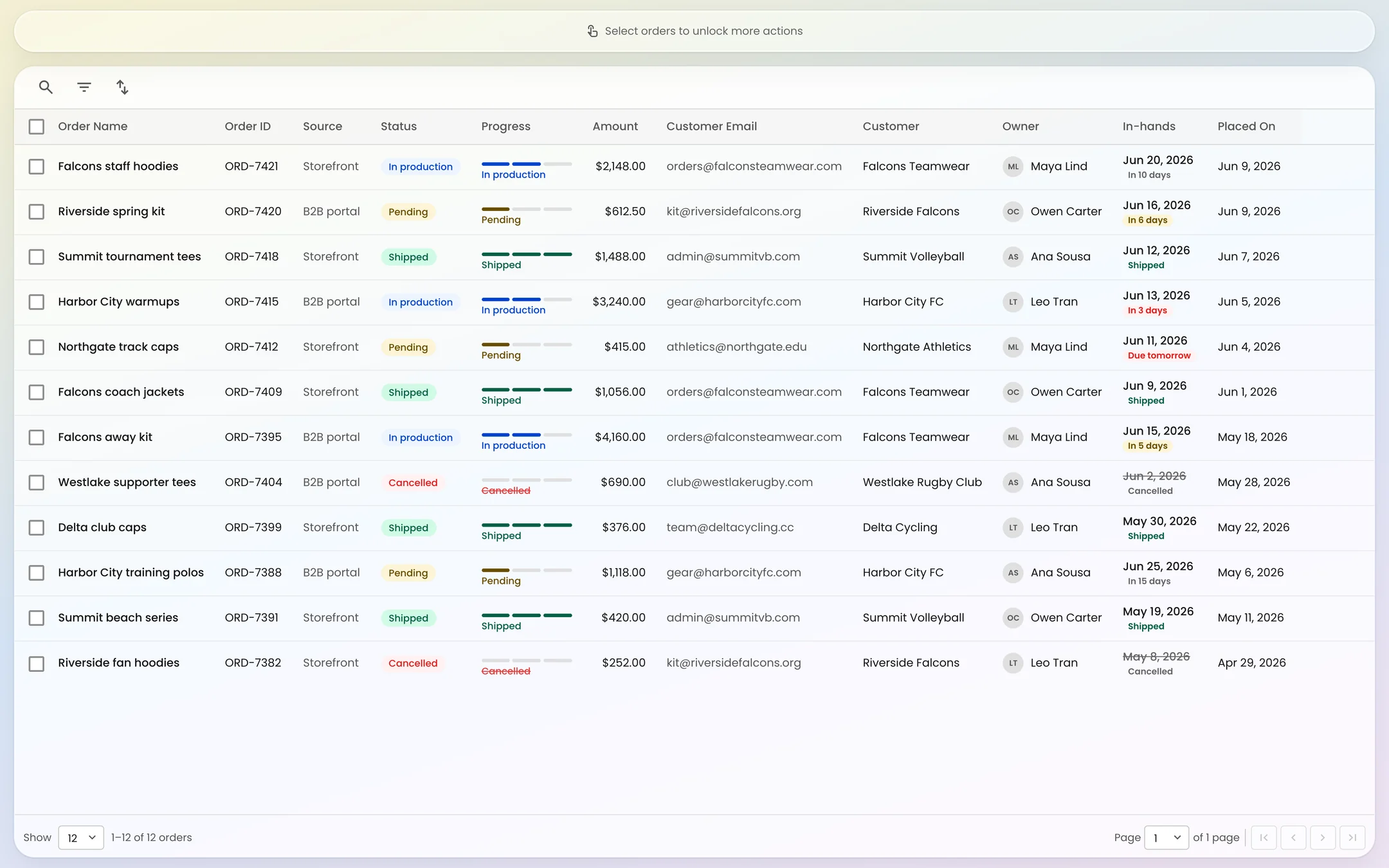
Each order record keeps the setup, customer and delivery details, artwork per item, charges and the people involved. Tracking numbers come in automatically, and on the Launch plan Brikl charges 3.5% per transaction with no setup fee or subscription (see Brikl pricing). For a client who runs branded on-demand stores and places a bulk order for an event, everything sits in one place instead of two systems and an inbox.
Put your next bulk order on on-demand rails
Build the grid, see your margin and place the order without pre-buying a single blank. Explore Order Builder or start with a free account.
Frequently asked questions
Is there a minimum order quantity for bulk orders on Brikl?
No. Brikl has no minimum order quantity, including for bulk orders placed in Order Builder. Products are sold as eaches and produced on demand, so a distributor can place an order for exactly the quantities a client confirmed, whether that is twelve jerseys or several hundred, without pre-buying blanks or holding inventory.
Can I paste sizes and quantities from a spreadsheet into Order Builder?
Yes. Order Builder's size grid behaves like a spreadsheet. You can paste a column directly from a spreadsheet, fill across a selection, drag a fill handle, select a range to see its count and sum, and undo changes. This lets you move a client's roster or size sheet into an order without retyping it.
Do volume discounts still apply when a bulk order is priced per unit?
Yes. In Brikl's Order Builder, volume breaks re-rate sell prices automatically as quantities change. The order summary then recalculates revenue, cost, profit and margin, so a distributor can see how a larger or smaller quantity affects the price and the margin before sending the order to the client.
Can I add setup fees or decoration run charges to a bulk order?
Yes. Order Builder lets you add charges typed as decoration, supplier or bill-only. The order summary includes merchandise, decoration run charges, setup fees, extra charges, discount, shipping and tax. Charge edits apply only to that specific order, so a one-off adjustment for one client does not change catalog pricing elsewhere.
Does Order Builder replace on-demand stores?
No. Order Builder is for bulk orders with a known quantity and date, such as an event or a uniform run. Stores remain the better fit for open-ended, per-person demand like company stores and team stores. On Brikl, both run from the same catalog and appear in the same orders list.
More from the blog
Product
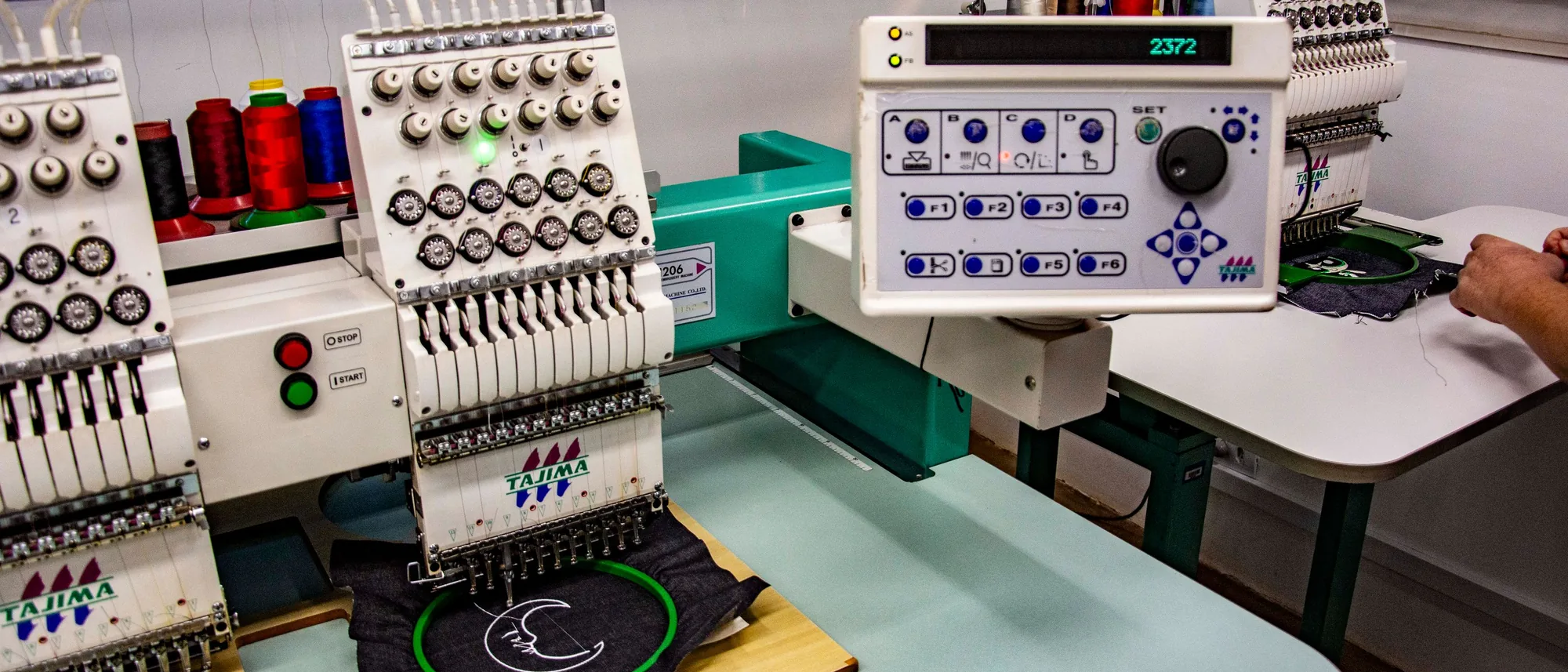
Upload a PNG, Get a DST: Why Digitization Stalls First Orders
The single most common place a first order dies is waiting on someone to digitize the logo. Instant digitization removes the cost line and the delay.

Product
A Store in Ten Seconds: What Turbo Store Changes
When a store took eleven hours to build, only the biggest accounts got one. Turbo Store changes the math, and with it, who gets a store at all.

Industry
We Standardized the Catalog. Now We Need to Standardize the Order.
Supplier feeds carry the style, the color and the price. The decoration half of the order still arrives by email, one order at a time. At GXN in Kitzbühel, we talked about who fills that gap, and what it would take to close it.